POST
/
text2img
Text-to-Image
curl --request POST \
  --url https://modelslab.com/api/v6/images/text2img \
  --header 'Content-Type: application/json' \
  --data '
{
  "key": "<string>",
  "prompt": "<string>",
  "model_id": "<string>",
  "negative_prompt": "<string>",
  "enhance_prompt": "yes",
  "width": 512,
  "height": 512,
  "samples": 1,
  "num_inference_steps": 31,
  "safety_checker": false,
  "safety_checker_type": "sensitive_content_text",
  "seed": 123,
  "guidance_scale": 7.5,
  "use_karras_sigmas": true,
  "algorithm_type": "none",
  "vae": "<string>",
  "lora_strength": 123,
  "lora_model": "<string>",
  "clip_skip": 2,
  "base64": false,
  "temp": false,
  "webhook": "<string>",
  "track_id": "<string>",
  "ip_adapter_id": "ip-adapter_sdxl",
  "ip_adapter_scale": 0.5,
  "ip_adapter_image": "<string>",
  "scheduler": "DDPMScheduler",
  "multi_lingual": false,
  "upscale": false,
  "highres_fix": false
}
'
{
  "status": "success",
  "generationTime": 123,
  "id": 123,
  "output": [
    "<string>"
  ],
  "proxy_links": [
    "<string>"
  ],
  "meta": {},
  "nsfw_content_detected": true,
  "webhook_status": "<string>",
  "tip": "<string>"
}
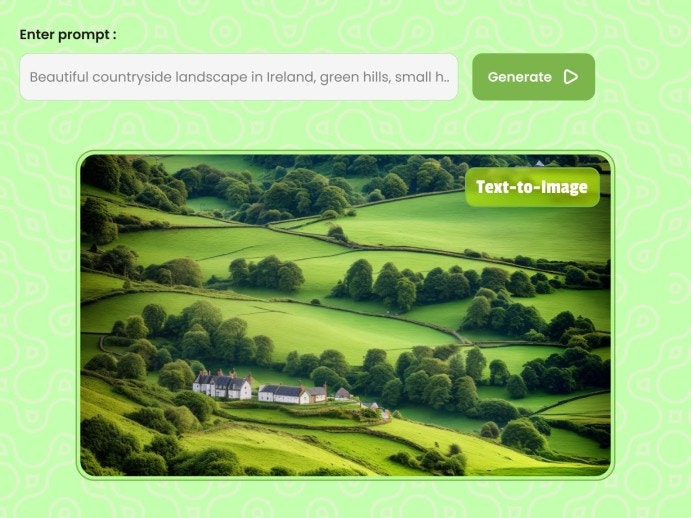
Text to image endpoint result Generate photorealistic images from text descriptions using the FLUX model. FLUX excels at creating highly detailed, realistic images with excellent prompt adherence.

Request

Make a POST request to the endpoint below with the required parameters.
POST https://modelslab.com/api/v6/images/text2img

Parameters

key
string
required
Your API key for authentication. Get one from your dashboard.
model_id
string
required
The model to use for generation. Use flux for the FLUX model.
prompt
string
required
Text description of the image you want to generate. Be specific and detailed for best results.
negative_prompt
string
Things you don’t want in the image. Example: “blurry, low quality, distorted”
width
integer
default:"512"
Image width in pixels. Must be between 256-1024 and divisible by 8.
height
integer
default:"512"
Image height in pixels. Must be between 256-1024 and divisible by 8.
samples
integer
default:"1"
Number of images to generate. Range: 1-4.
num_inference_steps
integer
default:"30"
Number of denoising steps. Higher values produce more detailed images but take longer. Range: 20-50.
guidance_scale
float
default:"7.5"
How closely to follow the prompt. Higher values = more literal interpretation. Range: 1-20.
safety_checker
string
default:"yes"
Enable NSFW content filter. Values: “yes” or “no”.
seed
integer
Random seed for reproducible results. Use the same seed with same parameters to get identical images.
clip_skip
integer
default:"2"
Number of CLIP layers to skip. Affects style interpretation. Range: 1-4.
webhook
string
URL to receive a POST request when generation completes. See Webhooks.
track_id
string
Your custom identifier to track this request. Returned in response and webhook.

Request Example

{
    "key": "your_api_key",
    "model_id": "flux",
    "prompt": "ultra realistic close up portrait ((beautiful pale cyberpunk female with heavy black eyeliner)), blue eyes, shaved side haircut, hyper detail, cinematic lighting, magic neon, dark red city, Canon EOS R3, nikon, f/1.4, ISO 200, 1/160s, 8K, RAW, unedited, symmetrical balance, in-frame, 8K",
    "negative_prompt": "blurry, low quality, distorted, deformed",
    "width": 512,
    "height": 512,
    "samples": 1,
    "num_inference_steps": 31,
    "safety_checker": "no",
    "seed": null,
    "guidance_scale": 7.5,
    "clip_skip": 2,
    "webhook": null,
    "track_id": null
}

Response

Success Response

When the image is generated successfully:
{
  "status": "success",
  "generationTime": 2.45,
  "id": 12345678,
  "output": [
    "https://pub-3626123a908346a7a8be8d9295f44e26.r2.dev/generations/abc123.png"
  ],
  "proxy_links": {
    "0": "https://cdn.modelslab.com/generations/abc123.png"
  },
  "meta": {
    "prompt": "ultra realistic portrait...",
    "model_id": "flux",
    "width": 512,
    "height": 512,
    "seed": 12345
  }
}

Processing Response

For complex requests, you may receive a processing status:
{
  "status": "processing",
  "id": 12345678,
  "eta": 10,
  "message": "Your request is being processed"
}
When you receive a processing response, use the Fetch endpoint to poll for results.

Error Response

{
  "status": "error",
  "message": "prompt is required"
}

Response Fields

FieldTypeDescription
statusstring”success”, “processing”, or “error”
idintegerUnique request identifier
outputarrayURLs of generated images
proxy_linksobjectCDN-optimized URLs for faster delivery
generationTimefloatTime taken to generate (seconds)
metaobjectGeneration parameters used

Tips for Better Results

FLUX responds well to detailed, specific prompts. Include:
  • Subject description
  • Style (photorealistic, cinematic, etc.)
  • Lighting details
  • Camera settings (for photorealistic images)
Always include a negative prompt to avoid common issues:
"blurry, low quality, distorted, deformed, ugly, bad anatomy"
  • Lower (3-7): More creative, varied results
  • Higher (8-15): More literal prompt adherence
  • Default (7.5): Good balance for most use cases

Body

application/json
key
string
required

Your API Key used for request authorization.

prompt
string
required

A text description of what you want in the generated image.

model_id
string
required

The ID of the model to be used. It can be a public model or one you have trained.

negative_prompt
string

Items you don't want in the image.

enhance_prompt
boolean
default:yes

If true, the prompt will be enhanced for better results. Default is (true).

width
integer
default:512

The width of the image in pixels.

Required range: x <= 1024
height
integer
default:512

The height of the image in pixels.

Required range: x <= 1024
samples
integer
default:1

The number of images to be returned in response. Maximum is 4.

Required range: x <= 4
num_inference_steps
integer
default:31

The number of denoising steps. Values range from 1 to 20, and any value above 20 will be capped at 20.

Required range: 1 <= x <= 20
safety_checker
boolean
default:false

A checker for NSFW images. If detected, such images will be replaced by a blank image.

safety_checker_type
enum<string>
default:sensitive_content_text

How to modify the image if NSFW content is found.

Available options:
blur,
sensitive_content_text,
pixelate,
black
seed
integer | null

Seed for reproducible results. The same seed generates the same image. Pass null for a random number.

guidance_scale
number
default:7.5

Scale for classifier-free guidance.

Required range: 1 <= x <= 20
use_karras_sigmas
boolean
default:true

Use Karras sigmas to generate images. Produces nice results.

algorithm_type
enum<string>
default:none

Used in DPMSolverMultistepScheduler scheduler.

Available options:
none,
dpmsolver+++
vae
string | null

Use a custom VAE for generating images. Default is null.

lora_strength
integer

Strength of the LoRa model(s). If multiple LoRa models, provide comma-separated values (0.1 to 1).

lora_model
string

LoRa model ID(s). Multiple LoRa models are supported; pass comma-separated values (e.g., 'contrast-fix,yae-miko-genshin').

clip_skip
integer
default:2

Number of CLIP layers to skip.

Required range: 1 <= x <= 8
base64
boolean
default:false

If true, response output is base64 string. Input images can also be base64.

temp
boolean
default:false

If true, stores image in temporary storage (cleaned every 24 hours).

webhook
string<uri>

URL to receive a POST API call once image generation is complete.

track_id
string

Unique ID used in webhook response to identify the request.

ip_adapter_id
enum<string>

IP adapter ID.

Available options:
ip-adapter_sdxl,
ip-adapter_sd15,
ip-adapter-plus-face_sd15,
ip-adapter-plus_sdxl_vit-h,
ip-adapter-plus-face_sdxl_vit-h
ip_adapter_scale
number

Scale for the IP adapter (0 to 1).

Required range: 0 <= x <= 1
ip_adapter_image
string<uri>

Valid image URL for IP adapter.

scheduler
enum<string>

Available schedulers for image generation.

Available options:
DDPMScheduler,
DDIMScheduler,
PNDMScheduler,
LMSDiscreteScheduler,
EulerDiscreteScheduler,
EulerAncestralDiscreteScheduler,
DPMSolverMultistepScheduler,
HeunDiscreteScheduler,
KDPM2DiscreteScheduler,
DPMSolverSinglestepScheduler,
KDPM2AncestralDiscreteScheduler,
UniPCMultistepScheduler,
DDIMInverseScheduler,
DEISMultistepScheduler,
IPNDMScheduler,
KarrasVeScheduler,
ScoreSdeVeScheduler,
LCMScheduler
multi_lingual
boolean
default:false

Allow multilingual prompts. Set to 'true' if using a language other than English.

upscale
boolean
default:false

Set to 'true' to upscale the image resolution two times (2x).

highres_fix
boolean
default:false

Enable high-resolution fix for generated images.

Response

Text-to-image generation response

status
enum<string>

Status of the image generation.

Available options:
success
generationTime
number

Time taken to generate the image in seconds.

id
integer

Unique identifier for the image generation request.

output
string<uri>[]

Array of generated image URLs.

Array of proxy image URLs.

meta
object

Metadata about the image generation including all parameters used.

nsfw_content_detected
boolean

Indicates if NSFW content was detected in the generated image.

webhook_status
string

Status of the webhook notification.

tip
string

Additional information or tips for the user.